CompleteFTP Server Features
FTP and FTPS (FTP over SSL)
FTP and FTPS
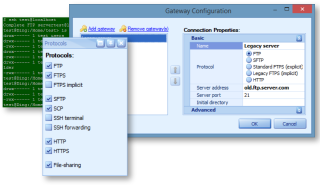
CompleteFTP's FTP and FTPS implementations are fully standards compliant and support a broad range of options, including:
Firewall-friendly transfers (passive mode)
anonymous logins
non-ASCII character-sets
server and client SSL/TLS certificates
configurable listing formats
configurable SSL/TLS cipher-suites
selectable network interfaces (NIC's)
SFTP (FTP over SSH) and SCP
SFTP and SCP
All editions of CompleteFTP support SFTP. SCP is supported in the Professional Edition. Password and public-key authentication (RSA and DSA) are supported.
SSH terminal logins
Log into CompleteFTP as an SSH terminal
Unlimited Windows and non-Windows users in all editions
Unlimited Windows and non-Windows users
Windows users may be added by simply selecting from a list of Windows users.
Non-Windows users are users who have no corresponding Windows OS accounts; these are added using a wizard.
Automatic Windows users
Automatic Windows Users
The Automatic Windows Users (AWU) feature allows the administrator to enable login of any Windows user without having to manually add the user to CompleteFTP's internal user list. In the Professional Edition (or better) logins may be restricted to one or more Active Directory (AD) or local groups.
Virtual file system
Virtual file system
CompleteFTP's virtual file-system gives administrators full control over the file-system that is presented to clients. It includes support for user-mapped locations, such as 'My Documents', which takes a Windows user to their own Windows 'My Documents' folder. Folders may also be defined by UNC paths and may contain macros.
Disk quotas and bandwidth limits
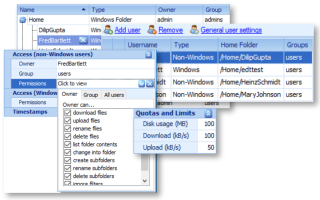
Limit the disk-space and bandwidth of users
File system permissions
For non-Windows users file-system access is controlled by CompleteFTP's own UNIX-like access control system.
For Windows users access is determined by Windows' native file permissions. These permissions may be viewed from within the CompleteFTP Manager.
Performance monitoring charts
Charts for real-time performance monitoring
Scrolling charts show real-time performance indicators such as logins, bytes uploaded/downloaded and auto-bans.
Email notification
E-mail Notifications
CompleteFTP can be configured to send e-mail notifications when specific events occur. Events may be filtered using wildcards or regular expressions. Subjects and messages may incorporate macros.
Process triggers
Execute a process when a file-operation occurs
Process triggers can be configured to automatically execute a program, batch script or Powershell script when a particular file-operation occurs.
Allow/deny clients by IP or host-name
Allow/deny clients by IP address or host-name
Clients maybe allowed or denied access according to IP mask and host-name rules similar to those found in Apache. The editor includes a tester, which updates in real-time as rules are added and removed.
Auto-banning
Auto-banning
Reduce the risk of brute-force attacks by banning client that repeatedly use incorrect usernames and/or passwords.
Auditing of user actions
CompleteFTP may be configured to keep a rolling-file auditing log, which records 'who-did-what' information for a configurable number of days.
Remote administration
CompleteFTP's administration tool connects to the server through TCP/IP.
FTPS client certificates
FTPS clients may be required to present valid certificates upon connection. The Windows Certificate Store is used to determine whether or not a certificate should be trusted. An integrated certificate management tool is provided by CompleteFTP Manager.
SSL certificate generator
CompleteFTP's SSL/TLS certificate generator may be used to create new self-signed certificates for the server. Certificates may also be imported and exported.
Connection monitoring and control
Real-time monitoring and control
Client can be seen connecting and disconnecting in real-time. Connections may be terminated at will.
SSH key generator
Compatible with all FTP, FTPS and SFTP clients
Supports password and publickey authentication for SFTP, and RSA and DSA keys
Supported on 32- and 64-bit Windows
Hello
Legal Notice