CompleteFTP (Professional and Enterprise MFT only) supports the use of disk quotas and bandwidth quotas, so that users can be restricted in their use of system resources.
By default, no quotas are enforced - they have to be set explicitly for each user. This is done by going to the Users panel in the CompleteFTP manager, and setting the values in the Quotas and Limits section amongst the properties that are listed.
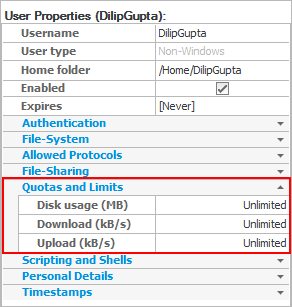
Disk usage is set in megabytes (MB) and is a cumulative limit across all sites.
Upload and download bandwidth limits are set in kilobytes/second (kB/s). Note that bandwidth is not set in kilobits/second (kbs), and that bandwidth limits apply per site (so that in Enterprise MFT, if a user is enabled on multiple sites then their total bandwidth is [number of sites] x [set bandwidth]).